iPhone・iPad・Android の模写グリッドとトレース台

写真と紙に、
同じマス目を。

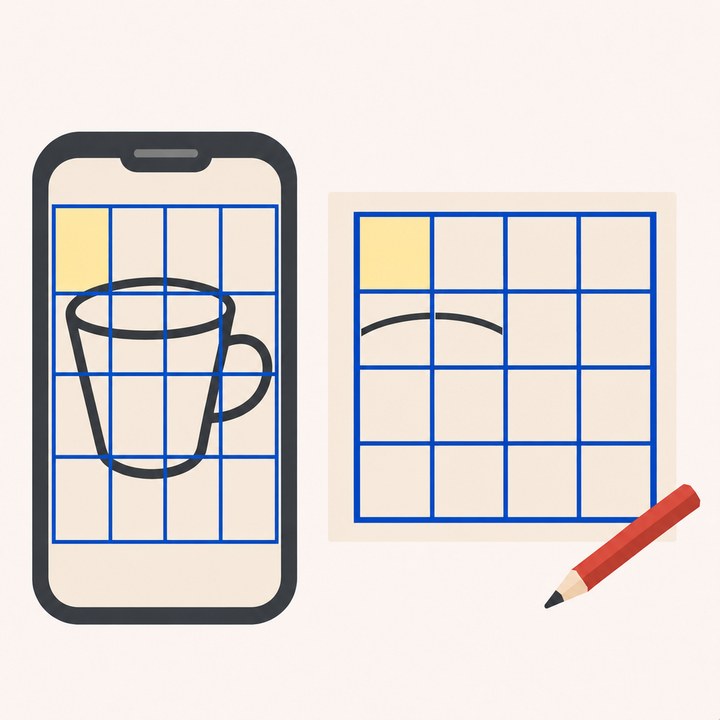
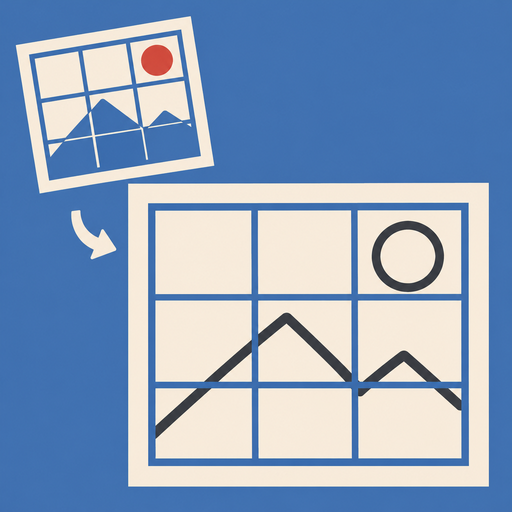
写真にマス目を引き、紙にも同じ数のマス目を mm で出します。1マスずつ見比べて描けば、形がくずれません。印刷用のマス目の PDF、画面をトレース台にする写し方、カメラに下絵を重ねる写し方もあります。

App Store・Google Play で配信予定

買い切りで全部の機能が使えます。課金の画面・広告・回数の制限はありません。

写真と紙に同じマス目を引いて描き写すイラスト

こんな困りごとのために

描く前に課金や広告が出る

ますうつしは買い切りです。開いてすぐ描けます。1日の回数の制限もありません。

紙のマス目の大きさが分からない

紙を選ぶと「この紙なら 1マス 25mm」と出します。A 判・B 判・画用紙・キャンバスの号、自分の紙の大きさにも合わせられます。

紙に線を引くのが手間

紙のマス目を番号つきの PDF で書き出して、そのまま印刷できます。

トレース台にすると画面が暗くなる

トレース台のあいだは明るさを最大にし、自動で消えないようにします。画面を固定すれば、紙が触れても下絵が動きません。

何をすればいいか分からない

はじめに3枚の案内で、写真を選ぶ・マス目・紙に写す、の流れを見せます。

写真を外に出したくない

写真は端末の中に置きます。通信は iCloud だけで、カメラの映像は保存も送信もしません。

できること

マス目四角・比例・対角線・色と太さ・A1 の番号・描き終えたマスの印
紙A3・A4・A5・B4・B5・画用紙(八つ切・四つ切)・キャンバス(SM・F4〜F10)・自分の紙・余白
下絵切り取り・白黒・線を強める・明るさとコントラスト・1マスを大きく
写し方マス目を見ながら・トレース台(明るさ最大・画面を固定)・カメラに重ねる
書き出し紙のマス目の PDF(番号つき)・マス目つきの写真
データiCloud で iPhone と iPad をそろえる・アカウントなし・解析と広告なし

使い方・プライバシーポリシー・利用規約もご覧ください。

Drawing grid and light box for iPhone, iPad and Android

The same grid
on photo and paper.

Put a grid on a photo and get the same number of squares on your paper, in mm. Compare one square at a time and the shapes stay true. Print the paper grid as a PDF, use your screen as a light box, or overlay the reference on your camera.

Coming to the App Store and Google Play

One purchase unlocks everything. No paywall, no ads, no daily limits.

Illustration of the same grid on a photo and on paper

Made for these problems

Paywalls and ads before you draw

Masuutsushi is a one-time purchase. Open it and start drawing, with no daily limits.

Not sure how big the squares should be

Pick a paper and see "25 mm squares on this paper". A and B sizes, drawing paper, canvases, or your own size.

Ruling lines on paper takes time

Export the paper grid as a labeled PDF and print it.

The screen dims under paper

The light box keeps brightness at maximum and the screen on. Lock touches so the reference doesn't move.

Not sure where to start

A three-step intro shows how to pick a photo, set the grid and copy it onto paper.

Keep your photos private

Photos stay on your device. Only iCloud uses the network, and camera video is never saved or sent.

What it does

GridSquare, proportional, diagonals, color and width, A1-style labels, marks for finished squares
PaperA3, A4, A5, B4, B5, drawing paper, canvases (SM, F4 to F10), your own size, margins
ReferenceCrop, black and white, stronger lines, brightness and contrast, enlarge one square
CopyingGrid, light box (max brightness, touch lock), camera overlay
ExportPaper grid PDF with labels, photo with grid
DataiCloud keeps iPhone and iPad the same, no account, no analytics or ads

See also Help, the Privacy Policy and the Terms of Use.